Bulk actions on people
ProofHub allows you to perform bulk actions on your team members, such as assigning roles, moving them to groups, suspending accounts, deleting users, and resending invitations.
-
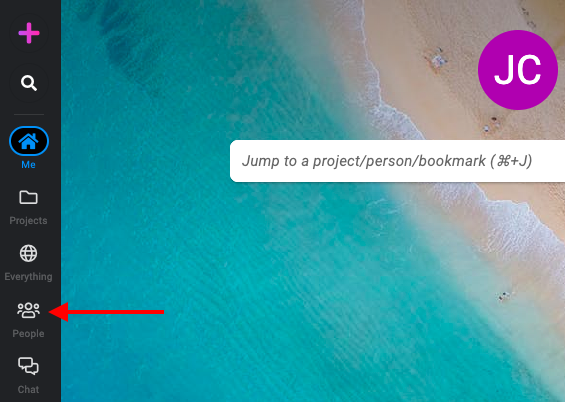
On the left-side menu, navigate to the people section.
-
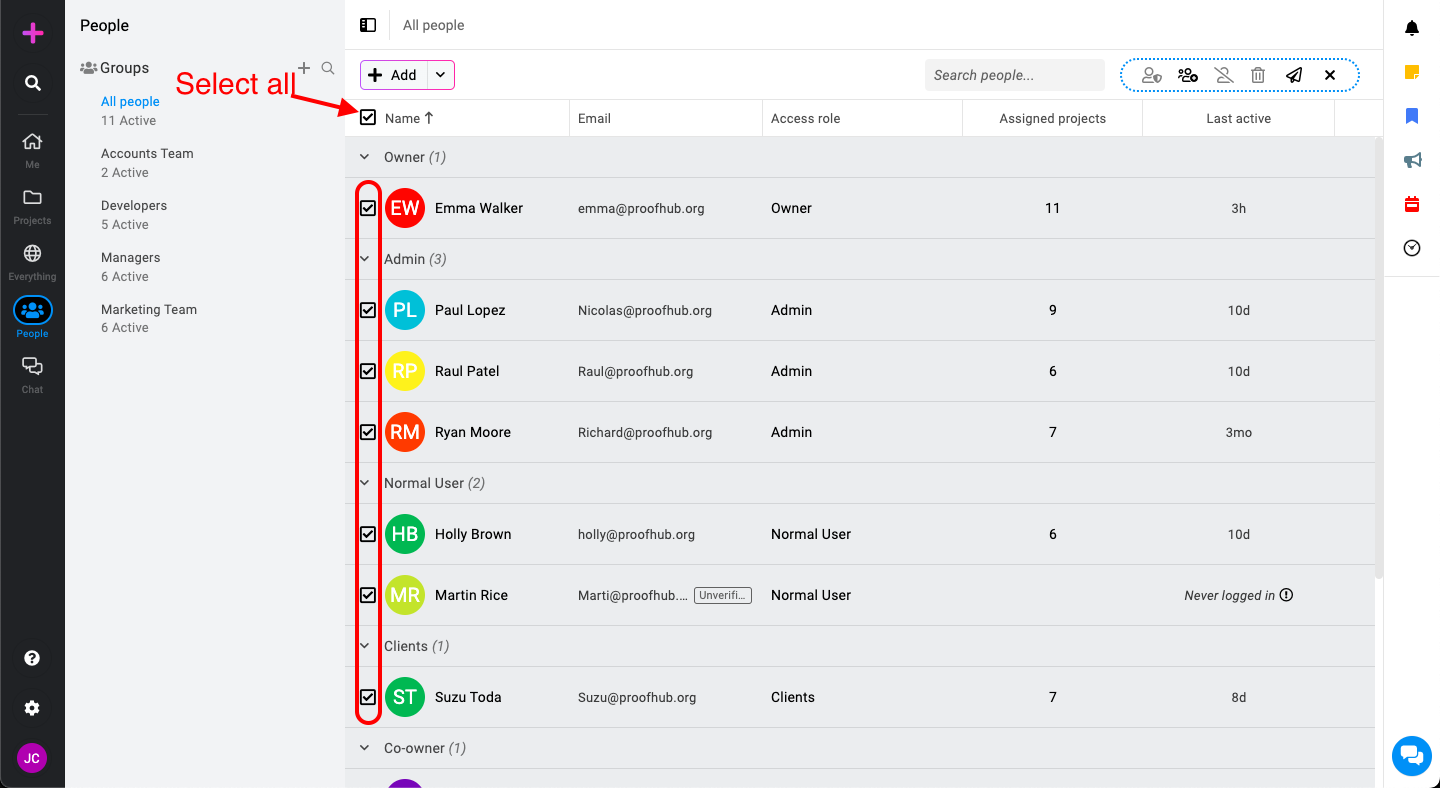
Identify and select users****: Hover over any user’s name to reveal the checkboxes, and check these boxes to select the people for a bulk action. You can choose specific names or select everyone at once by checking the “Select all” check box at the top.
-
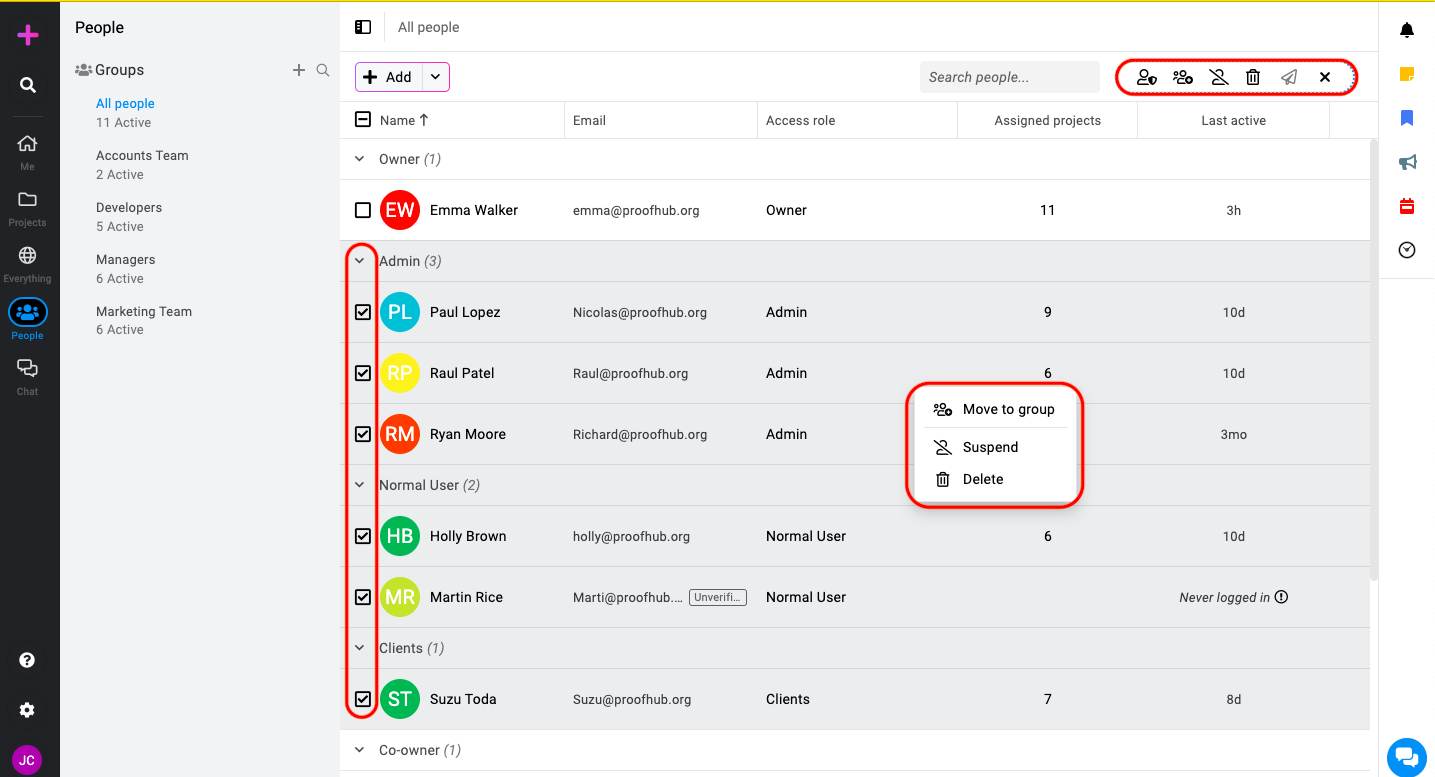
Manage users in bulk: After the selection, you can right-click on any person or use the bulk actions menu. This will display a menu with several options.
-
Assign role: Modify the role of selected people.
-
Move to group: This options helps you to move selected users to a group.
-
Suspend: To temporarily restrict access for selected people, use the “Suspend” function.
-
Delete: Remove selected users from your account.
-
Resend invite: You can resend the invites to the selected users who haven’t logged in or are yet to be verified.
-
**Note: **ProofHub keeps items in the “Trash” for 15 days. Restore them easily by going to Trash. For detailed instructions on restoring deleted items from the trash, please refer to Trash.